Unleashing the Beast: How to Maximize Performance on Your MacBook Neo
The MacBook Neo, Apple's budget-friendly laptop, has surprised many with its potent A18 Pro chip, often outperforming the M1. Despite its impressive raw power, users can experience performance bottlenecks. This article delves into practical strategies, from optimizing software to leveraging external hardware, to unlock the full potential of your MacBook Neo and ensure a seamless computing experience for years to come.
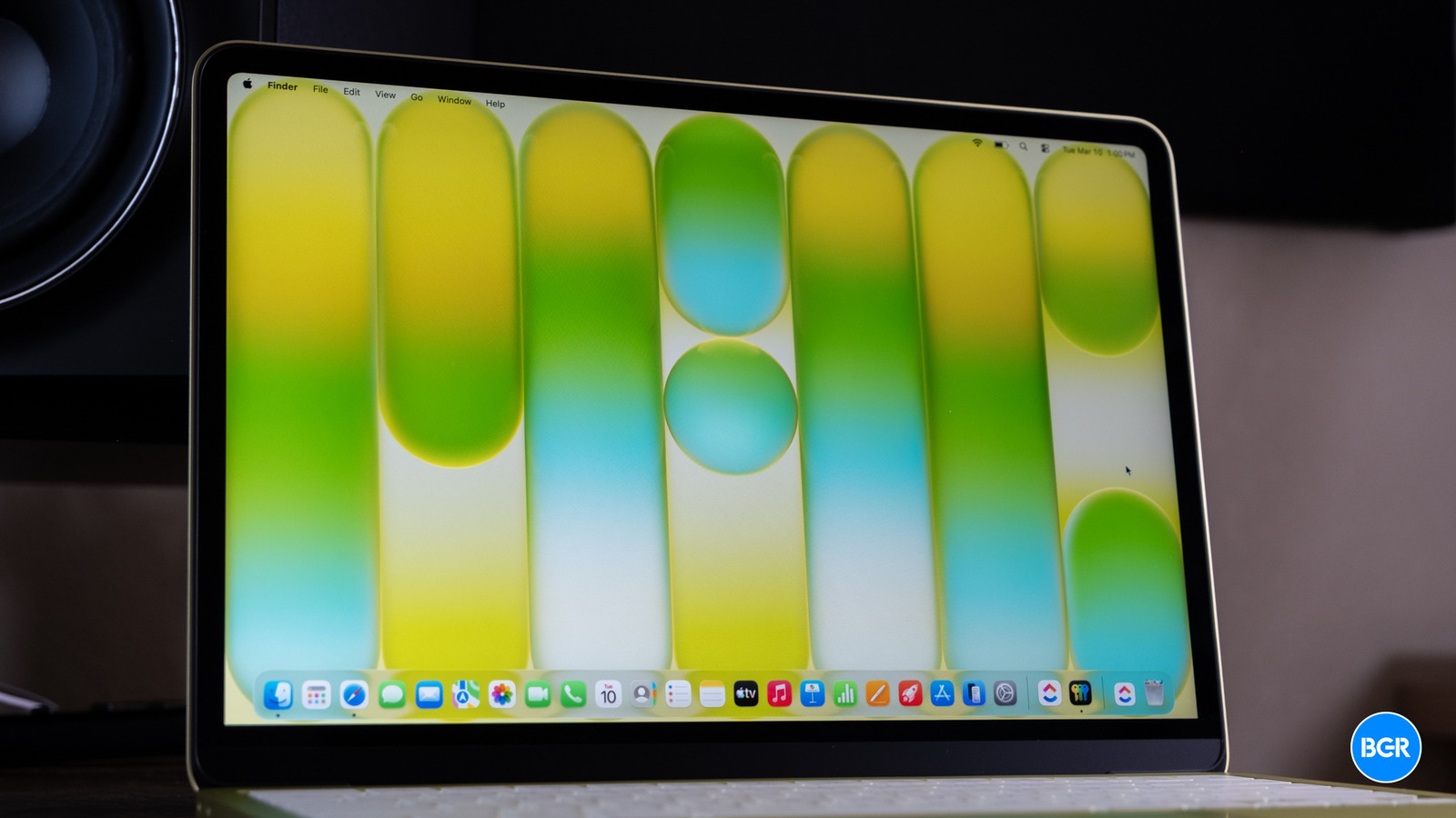
In the ever-evolving landscape of personal computing, Apple's introduction of the MacBook Neo marked a significant shift. Positioned as the most accessible MacBook model, it defied expectations by integrating the A18 Pro chip, a silicon marvel originally designed for the iPhone. Initial reviews and benchmarks quickly revealed a startling truth: the A18 Pro often outperforms the venerable M1 processor, a chip that redefined laptop performance just a few years prior. This technological leap promised a new era of budget-friendly power, making high-performance computing more attainable for students, creatives, and everyday users alike. Yet, as with any sophisticated piece of technology, raw power doesn't always translate directly into a consistently smooth user experience. Many MacBook Neo owners, despite the impressive specifications, find themselves grappling with occasional slowdowns, particularly when multitasking or handling demanding applications. This article will explore the nuances of the MacBook Neo's architecture and provide actionable strategies to not only mitigate these performance hiccups but to truly unleash the beast within, ensuring your device remains a powerhouse for years to come.
Understanding the MacBook Neo's Architecture: A Tale of Two Components
The MacBook Neo's performance narrative is complex, largely due to its innovative integration of the A18 Pro chip. While the chip itself boasts exceptional processing capabilities, particularly in single-core tasks and AI-driven operations, the overall system performance is a symphony of interconnected components. The Unified Memory Architecture (UMA), a hallmark of Apple Silicon, allows the CPU, GPU, and Neural Engine to share a single pool of high-bandwidth, low-latency memory. This design minimizes data transfer bottlenecks, which is crucial for the Neo's efficiency. However, the amount of unified memory, typically 8GB or 16GB in the Neo, can become a limiting factor for professionals working with large datasets, high-resolution video editing, or complex 3D rendering. Furthermore, while the internal SSD is fast, it might not always match the sustained read/write speeds of more premium MacBook Pro models, potentially impacting application launch times and file transfers. Understanding these architectural nuances is the first step towards effective optimization.
Historically, Apple's approach to performance has been about vertical integration – controlling both hardware and software. The A-series chips, initially designed for mobile devices, have matured significantly, demonstrating Apple's ability to scale their mobile silicon for desktop-class performance. The A18 Pro's success in the MacBook Neo is a testament to this strategy, offering incredible power efficiency alongside raw computational grunt. However, the 'budget' nature of the Neo often means compromises in other areas, such as thermal design or base storage configurations, which can subtly impact long-term performance under heavy load. Users migrating from Intel-based Macs or even older M1 models might find the experience different, requiring a slight adjustment in workflow or expectations.
Software Optimization: The Digital Declutter
Before considering hardware upgrades, a thorough software audit is paramount. A cluttered operating system is often the primary culprit behind sluggish performance. Start by evaluating your startup items. Many applications automatically launch at login, consuming valuable RAM and CPU cycles in the background. Navigate to System Settings > General > Login Items and disable anything non-essential. Similarly, regularly review your background processes using Activity Monitor (Applications > Utilities). Identify resource-intensive applications or rogue processes that might be unnecessarily draining system resources. Quitting or uninstalling these can yield immediate improvements.
Browser hygiene is another critical area. Web browsers, especially with numerous tabs and extensions, are notorious memory hogs. Consider using a lightweight browser for less demanding tasks or regularly closing unused tabs. Extensions, while useful, can also contribute to slowdowns; disable or remove those you rarely use. Furthermore, keeping your macOS operating system and all applications updated is crucial. Apple regularly releases performance enhancements, security patches, and bug fixes that can significantly improve system stability and speed. Developers also optimize their applications for the latest macOS versions and Apple Silicon, so outdated software can lead to inefficiencies.
Finally, don't underestimate the power of a clean desktop and organized files. While less impactful on raw processing power, a desktop laden with files can slow down Finder operations and create a perception of sluggishness. Regularly move files into organized folders and empty your trash bin. Consider using cloud storage for less frequently accessed files to free up local disk space.
Hardware Enhancements: External SSDs and Connectivity
While the MacBook Neo's internal components are largely fixed, its USB 3 ports offer a powerful avenue for external expansion, particularly for storage. The internal SSD, while fast, can become a bottleneck when it's nearly full, as macOS requires free space for virtual memory (swap files). An external SSD connected via USB 3 (or ideally, USB-C with Thunderbolt/USB 4 for maximum speed, if available on your specific Neo model, though USB 3.x is more common on budget models) can dramatically improve performance for specific workflows. For instance, if you're editing large video files, running virtual machines, or managing extensive photo libraries, storing these assets on a fast external SSD can offload the internal drive, preventing slowdowns. Look for NVMe-based external SSDs with USB 3.2 Gen 2 (10Gbps) or Gen 2x2 (20Gbps) support for optimal transfer speeds. This can effectively give your MacBook Neo a second, often faster, primary drive for demanding tasks.
Beyond storage, consider the quality of your peripherals. High-resolution external displays, especially multiple monitors, can strain the integrated GPU, particularly if you're running graphically intensive applications. While the A18 Pro's GPU is potent, managing multiple high-pixel-count displays alongside demanding software can lead to frame drops or interface lag. Ensure your display cables are high-quality and that your display settings are optimized. For users who frequently transfer large files, investing in a high-speed USB hub or dock can also streamline your workflow, ensuring consistent data transfer rates across multiple connected devices.
Advanced Tips and Best Practices for Longevity
To ensure your MacBook Neo remains performant over its lifespan, adopting a few advanced practices can make a significant difference. Memory management is crucial, especially for models with 8GB of unified memory. Regularly check Activity Monitor's "Memory" tab to see which applications are consuming the most RAM. If you frequently hit memory pressure, consider closing unused applications or reducing the number of open tabs in your browser. Tools like "purge" (accessible via Terminal) can sometimes free up inactive memory, though macOS is generally efficient at managing this automatically.
Thermal management is another often-overlooked aspect. While the A18 Pro is power-efficient, sustained heavy loads can generate heat. Ensure your MacBook Neo has adequate ventilation, avoiding use on soft surfaces that can block air vents. While the Neo typically employs passive cooling or a very quiet fan, excessive heat can lead to thermal throttling, where the chip reduces its clock speed to prevent overheating, directly impacting performance. Monitoring CPU temperature with third-party utilities can provide insights into your device's thermal behavior under different workloads.
Finally, regular system maintenance goes a long way. Periodically run Disk Utility's "First Aid" to check for and repair disk errors. While macOS is robust, minor file system inconsistencies can sometimes contribute to performance issues. Backing up your data regularly using Time Machine is not just good practice for data recovery; it also ensures that if a fresh macOS install becomes necessary for performance reasons, your data is safe and easily restorable.
Conclusion: Empowering Your MacBook Neo Experience
The MacBook Neo, with its groundbreaking A18 Pro chip, represents a remarkable achievement in delivering powerful computing at an accessible price point. Its ability to challenge and even surpass the performance of earlier M-series chips is a testament to Apple's engineering prowess. However, unlocking its full potential requires a proactive approach from the user. By diligently optimizing software, strategically leveraging external hardware like fast SSDs, and adopting sound maintenance practices, owners can transform their MacBook Neo from a capable budget laptop into a truly formidable workstation. These strategies not only enhance current performance but also extend the device's useful lifespan, ensuring that your investment continues to deliver a smooth, responsive, and powerful computing experience for many years to come. Embrace these tips, and truly unleash the beast within your MacBook Neo.
Stay Informed
Get the world's most important stories delivered to your inbox.
No spam, unsubscribe anytime.
Comments
No comments yet. Be the first to share your thoughts!